
If you want to check SIM owner details in Pakistan, start with your own CNIC. The two main official options are simple:
- Text your 13-digit CNIC number to 668 to check the SIMs registered under your name.
- Use the PTA SIM Information System at cnic.sims.pk to check the SIM count linked to your CNIC.
The official SIM Information System currently displays operator-wise SIM counts, including voice, data-only, and total SIMs.
More: Check SIM on CNIC
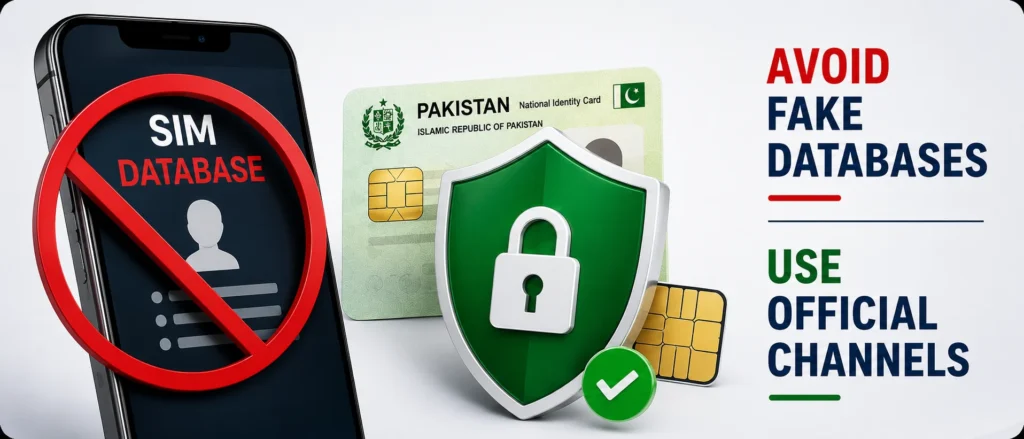
If you find a SIM you do not recognize, do not attempt to use a “database of SIMs” website to search for the owner’s name. Try contacting the relevant operator to verify the record, report unauthorized SIM distribution, or use other official ways to find the owner of a SIM card.
The answer combines all the most important ways of checking the SIM owner, SIM codes, PTA services, biometrics, complaints, and other verification methods.
Quick Answer: How to Check SIMs Registered to Your CNIC
To check SIMs registered against your own CNIC, you can use the PTA’s official SIM Information System or the 668 SMS service.
For the online method, you will have to visit the site cnic.sims.PK, enter your CNIC number, pass the verification process, and view the number of SIMs against your CNIC. The portal currently shows separate counts for voice and data-only SIMs by operator.
For the SMS method, send your CNIC number to 668. PTA-related guidance has long recommended using 668 to periodically check the number of SIMs issued in your name.
More: SIM Owner Detail Pakistan
Important
These services are designed to help you check your own CNIC and SIM records. They are not legitimate resources for tracking down the name, CNIC, address, or other personal information of an unknown person using their phone number.
Key Takeaways
- 668 can be used to check SIMs registered against your CNIC.
- cnic.sims.pk is the PTA SIM Information System for checking your CNIC’s SIM count online.
- If an unknown SIM appears against your CNIC, contact the relevant operator and request verification or disowning.
- Do not trust websites claiming to provide a person’s full SIM owner details from a mobile number.
- 667, operator codes, PTA complaint channels, NADRA services, and 8484 serve different purposes and should not be confused with the main CNIC SIM-count check.
- For cybercrime or identity-related problems, NCCIA provides a helpline 1799 and an online complaint system.
- Keep a record of your own SIM count so you can identify an unexpected change later.
12 Ways to Verify SIMs Linked to Your CNIC
The following table separates the main SIM ownership check from other official services that can help you verify, manage, or report SIM-related problems.
More:How Many SIMs on My CNIC Check Online
| # | Method | What It Is Used For | Cost |
| 1 | 668 SMS | Check SIMs registered against your CNIC | SMS charges may apply |
| 2 | cnic.sims.pk | Check your CNIC’s SIM count online | Free |
| 3 | 667 / MNP | SIM/MNP-related verification | Standard SMS charges may apply |
| 4 | 76367 | Network/operator-related lookup | Charges may apply |
| 5 | BVS / biometric checks | Operator-specific biometric verification | Depends on the operator |
| 6 | Own-number codes | Find the number of the SIM in your phone | Usually free |
| 7 | Operator franchise | Verification, disowning, and ownership-related requests | Depends on the service |
| 8 | PTA complaint system | Escalate unresolved telecom complaints | Free |
| 9 | PTA digital services | Get telecom-related assistance | Depends on the service |
| 10 | NADRA | CNIC-related services and updates | Depends on the service |
| 11 | 8484 / DIRBS | Check mobile-device registration status | SMS/service charges may apply |
| 12 | NCCIA 1799 | Report cybercrime and identity-related problems | Complaint service |
Important: Not all 12 methods actually reveal SIM ownership information. The first two are the main ways to check SIMs associated with your own CNIC. The remaining channels deal with verification, troubleshooting, telecom complaints, identity documents, device status, or cybercrime.
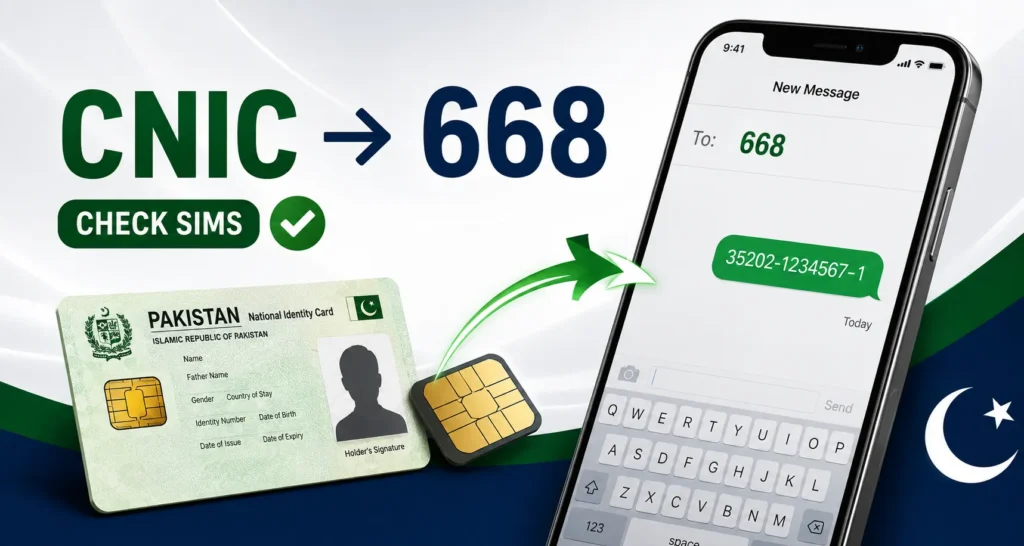
1. Check SIMs on Your CNIC Through 668
The 668 SMS method is one of the most commonly used ways to check how many SIMs are registered against your CNIC.
How to check SIMs through 668
- Open your phone’s Messages app.
- Enter your 13-digit CNIC number.
- Do not add dashes or spaces.
- Send the CNIC to 668.
- Wait for the response.
- Review the SIM information returned for your CNIC.
PTA’s advice on cyber-safety advises regularly monitoring the number of SIMs issued in one’s name via 668 and taking action in case any unauthorized SIMs are detected.
Why should you use 668?
The main goal of this process is not to identify a stranger, but to check if your CNIC was not used to register a SIM card that you did not authorize.
In case you find a different SIM card than the one you are using, reach out to the respective mobile operator and bring the issue to their attention.
Tip: Save the response or note the date of your check. It gives you a useful reference for future checks.
2. Check SIMs Online at cnic. If Ms. PK
If you have internet access, the PTA SIM Information System is an easier option.
Visit cnic.sims.pk, enter your CNIC number, complete the required verification, and check the displayed SIM counts.
The current portal shows separate figures for:
- Jazz
- Telenor
- Ufone
- Zong
- Voice SIMs
- Data-only SIMs
- Total SIMs
The live page also states that the validity of the CNIC itself is not reflected in the result.
Why use the online portal?
It is useful when you want a quick overview without sending an SMS. It also gives you a convenient way to review the operator-wise numbers from a browser.
If you are outside Pakistan and trying to access your record, the availability of the website and your ability to complete its verification requirements can vary. Do not assume that every PTA SMS service will work internationally just because the website is accessible.
3. 667: SIM and Mobile Number Portability Verification
667 is associated with Mobile Number Portability (MNP) services rather than being a general-purpose database for finding someone else’s SIM owner details.
MNP-related services are useful when a mobile number is being checked in connection with network portability or ownership-related processes.
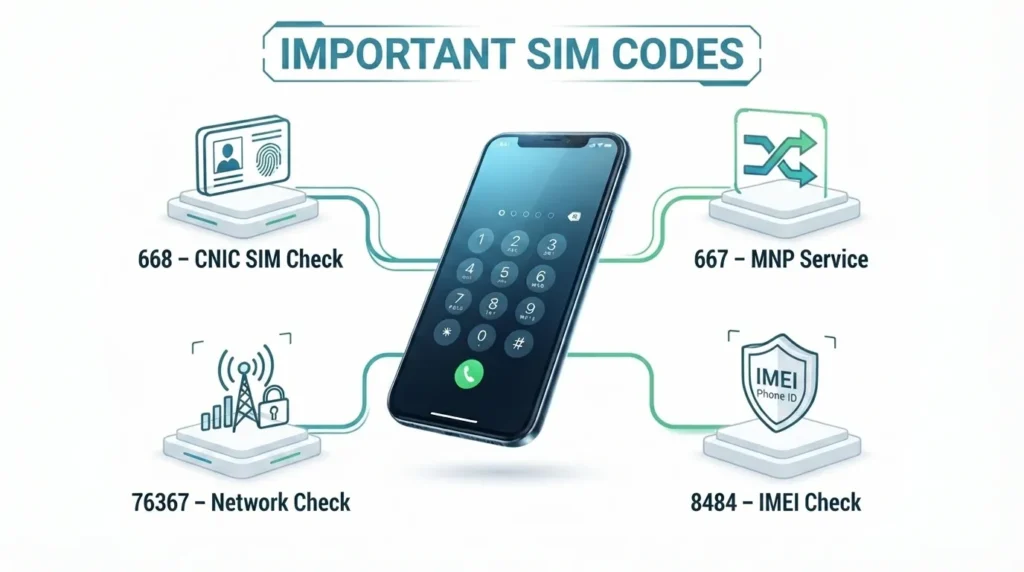
Do not confuse 667 with 668:
- 668: Check SIMs associated with your CNIC.
- 667: MNP-related verification/service.
- 8484: Mobile-device/IMEI status.
- 76367: Network/operator-related service.
The purpose of each code is different.
4. 76367: Check a Number’s Network
People sometimes want to know which network a Pakistani mobile number currently uses.
That can be useful because mobile numbers can be ported between networks. Therefore, relying only on the starting digits of a number may not always tell you its current operator.
Use the relevant official network-check service when you need to confirm the current network.
What it does not mean
A network check is not a SIM owner lookup.
It does not give you a legitimate way to obtain someone’s:
- Name
- CNIC number
- Address
- Date of birth
- Other private identity information
That distinction is important because searches such as “SIM owner details by number” often lead users toward unofficial websites, making claims they cannot reliably substantiate.
5. Biometric Verification System (BVS) Checks
SIM registration in Pakistan is connected to biometric verification requirements. Operators use biometric processes when issuing or managing SIMs.
When checking the biometric status of a SIM, if you are not using a SIM owned by others, contact your operator’s customer service through their official website or physical shop.
The procedure and codes may differ depending on the operator; therefore, it would be helpful to check with your own operator directly instead of using the information provided on some websites.
When should you check biometric status?
Consider contacting your operator if:
- Your SIM activation is not completing.
- You receive a verification-related message.
- A SIM appears against your CNIC that you do not recognize.
- You need to transfer or disown a SIM.
- Your biometric verification appears to have failed.
6. Find the Number of the SIM in Your Phone
Sometimes the problem is much simpler – you may have a SIM card, but you do not know its number.
Each operator can provide unique codes or customer service for this case, which will allow you to find out the number associated with the SIM card on your phone.
It is important to note that operator codes are subject to change, so it is necessary to check the current code on the operator’s website if you are using information that came from other sources.
This method is different from a CNIC SIM check.
Finding your own mobile number does not tell you the owner of another person’s SIM.
7. Visit Your Mobile Operator’s Franchise
If the online result shows a SIM you do not recognize, the franchise is often where the actual problem needs to be resolved.
Take your original CNIC and visit an authorized customer service centre or franchise.
Depending on the situation, you may be able to request:
- SIM verification
- SIM disowning
- Ownership-related assistance
- Biometric verification
- SIM replacement
- Other account corrections
What if a SIM is registered against you without your permission?
Do not ignore it.
More: Block Unauthorized SIM Online in Pakistan
Ask the operator to investigate the SIM and follow the official process for disowning or blocking it where applicable.
Keep any complaint or service reference number you receive.
That reference can be important if you later need to escalate the matter to PTA or another authority.
8. PTA Complaint System
If your operator fails to respond to your complaint, you can take it up with the PTA.
This is especially important in cases of:
- An operator does not resolve an unauthorized SIM issue.
- A complaint remains pending.
- You have already contacted the operator.
- You need regulatory assistance with a telecom service.
When submitting a complaint, include useful evidence such as:
- Your CNIC details were requested
- Operator name
- Mobile number involved
- Complaint/reference number
- Relevant screenshots
- Dates of your previous requests
Avoid uploading unnecessary personal information to unofficial websites.
9. PTA Digital Assistance
PTA provides digital channels for telecom-related information and assistance.
However, make sure to check their contact information on the PTAs ‘ website first. The reason is that fake WhatsApp accounts plus social-media pages often pose as government agencies.
Basic safety rule
A genuine government service should not require you to send your:
- OTP
- Banking PIN
- ATM PIN
- Password
- Unnecessary biometric information
to a random WhatsApp number or an unofficial website.
If a supposed “PTA representative” asks for sensitive credentials, stop the conversation and verify the channel first.
10. NADRA and Your CNIC
Your CNIC is central to SIM registration, so keeping your identity document information up to date is important.
For CNIC-related services, use official NADRA channels such as authorized centres and the Pak-ID service.
NADRA services can cover matters such as:
- CNIC renewal
- CNIC modification
- Identity-document services
- Other official identity-related requests
Remember that NADRA is not a replacement for the PTA SIM Information System.
If your goal is to find out how many SIMs are registered against your CNIC, use the PTA SIM-checking service.
If your goal is to update or renew your identity document, use NADRA.
More: Biometric SIM Verification in Pakistan: Complete Guide
11. Check Your Phone With 8484 / DIRBS
Your SIM and your mobile phone are two different things.
If you want to know whether your handset is properly registered for use on Pakistani mobile networks, check the device’s IMEI through the official DIRBS-related service.
First, to find the IMEI by dialing:
*#06#
Then use the official IMEI-checking method associated with 8484.
This check is useful when:
- Buying a used phone
- Importing a phone
- Checking PTA device status
- Troubleshooting network restrictions
- Verifying a handset before purchase
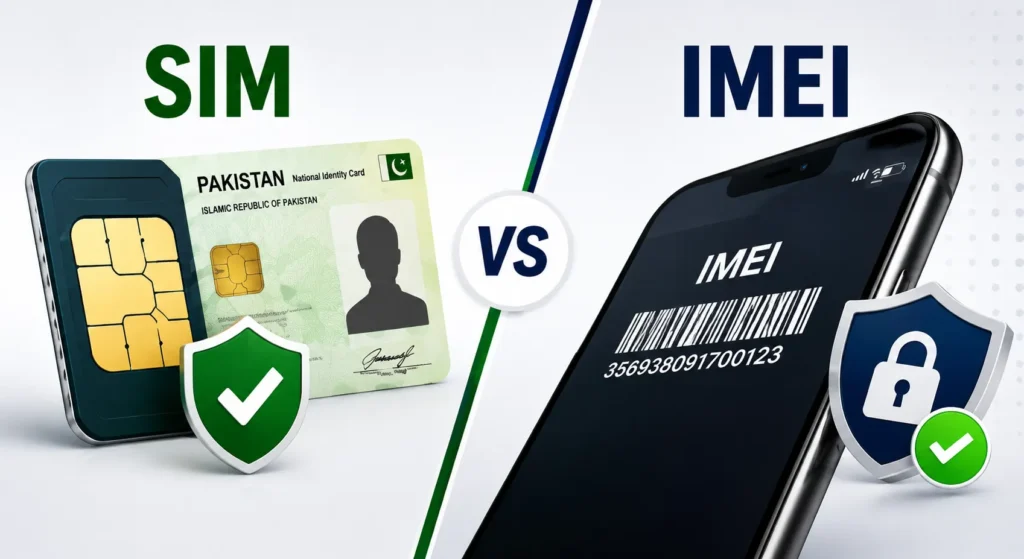
SIM check vs IMEI check
SIM check: Which SIMs are associated with your CNIC?
IMEI check: What is the registration/status of your mobile device?
They are separate checks and should not be mixed.
12. NCCIA 1799 for Cybercrime and Identity Problems
If your SIM or CNIC issue is related to fraud, identity theft, cyber harassment, financial fraud, or any other cybercrime, you may need to file a complaint beyond telecom companies.
The National Cyber Crime Investigation Agency, NCCIA, has given 1799 as the contact number and a complaint portal at complaint.nccia.gov.pk.
The NCCIA website’s FAQ states that it is the authorized law enforcement agency for investigating and prosecuting cybercrime-related offenses under the amended PECA framework.
What evidence should you keep?
If you believe your identity or SIM information has been misused, save:
- Screenshots of your SIM-check result
- SMS messages
- Mobile numbers involved
- Operator complaint/reference numbers
- Relevant dates
- Fraudulent messages or documents
- Any other evidence connected with the incident
NCCIA’s complaint form asks for personal and complaint information, so use the official portal rather than sending sensitive documents to an unknown person on social media.
Which SIM Owner Check Should You Use?
For most people, the answer is simple.
If you want to check SIMs on your CNIC
Use:
cnic.sims.pk
or
668 SMS
These are the two main options to start with.
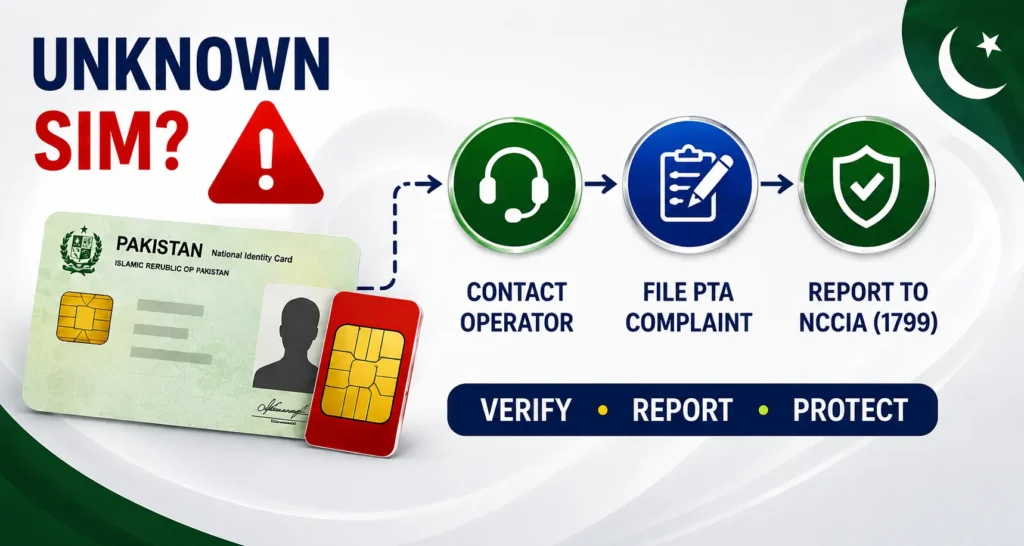
If you found an unknown SIM
Follow this order:
- Check your CNIC through the official PTA service.
- Identify the operator associated with the unexpected SIM.
- Contact that operator or visit its authorized franchise.
- Request verification and disowning where appropriate.
- Keep the complaint/reference number.
- Escalate to PTA if the operator does not resolve the issue
- If there is suspected fraud or identity misuse, you can report it to NCCIA.
If you are buying a used phone,
Check the device’s IMEI and PTA/DIRBS status before paying
If someone is harassing or scamming you,
- Do not try to get their private CNIC or address from an unofficial database.e
- Save the evidence and use the proper complaint or law-enforcement channel.
Why Can’t You Legally Check a Stranger’s SIM Owner Details?
This is one of the most important points about SIM searches in Pakistan.
There is a major difference between:
“Which SIMs are registered against my CNIC?”
and
“Who owns this other person’s mobile number?”
The official PTA SIM Information System is designed around checking the SIMs associated with the CNIC being submitted. It is not a public directory of people’s names, CNIC numbers, and addresses.
So if a website claims:
Enter any Pakistani mobile number and get the owner’s complete CNIC, name, and address.
You should treat that claim with extreme caution.
Do not submit your own CNIC to an unknown database website simply because it promises a detailed report.
What Does PECA Say About Unauthorized Identity Information?
Pakistan’s Prevention of Electronic Crimes Act (PECA) addresses the unauthorized use of identity information.
Section 16 addresses the obtaining, selling, possession, transmission, or use of another person’s identity information. The maximum penalty stated in the provision is up to three years’ imprisonment, a fine of up to Rs 5 million, or both.
There is also a separate provision concerning unauthorized issuance of SIM cards.
The important point for an ordinary user is straightforward:
- Use official institutions to verify information about yourself. You should not seek to buy, get, or share personal data of another person.
- You must inform official institutions of any misuse of your personal information instead of attempting to investigate the other person’s information in secret.
How Often Should You Check SIMs Registered to Your CNIC?
There is no need to check your SIM record every day.
A periodic check is a sensible privacy habit, especially if:
- You recently lost a SIM.
- You stopped using an old number.
- You changed mobile networks.
- You purchased or transferred a SIM.
- Your CNIC information was used for a recent telecom transaction.
- You suspect someone may have used your identity without permission.
Conclusion
Checking your SIM record is not about finding private information about other people. It is about making sure your own CNIC is connected to the SIMs you actually recognize.
For a quick check, start with 668. If you have internet access, use the PTA SIM Information System at cnic.sims.pk.
If something looks wrong, do not turn to a third-party “SIM database.” Follow the official path: operator → franchise → PTA complaint → NCCIA when the matter involves cybercrime or identity misuse.
That approach is safer, more reliable, and far better than trusting an unknown website with your CNIC.
Official sources used for verification: PTA SIM Information System, PTA-related cyber-safety guidance, and NCCIA’s current complaint and FAQ pages.
FAQs.
Can I check a SIM owner’s name using a mobile number?
There is no legitimate public PTA service that lets you enter a stranger’s number and receive their private identity details. Avoid unofficial SIM database websites that claim to provide this information.
Is 668 still used for SIM checking?
Yes. PTA guidance recommends using 668 to check how many SIMs are registered under your name.
Is cnic.sims.pk free?
The PTA SIM Information System is an online service for checking SIM counts associated with a CNIC. The current portal itself does not list an access fee.
What should I do if I find an unknown SIM on my CNIC?
Contact the relevant mobile operator and visit an authorized franchise if required. Request investigation and disowning of the SIM where applicable. Keep your complaint/reference number for your records.
Can I check someone else’s SIM details?
You should not use unofficial services to obtain another person’s private identity information. Use official channels for your own CNIC and report suspected misuse through the appropriate authority.
What is the difference between 668 and 8484?
668 is associated with checking SIMs registered against your CNIC.
8484 is associated with checking the status of a mobile device/IMEI through the relevant DIRBS process.
They solve two completely different problems.
What is 667 used for?
667 is associated with Mobile Number Portability and related verification services. It should not be treated as a general public tool for obtaining another person’s SIM owner details.
How do I report cybercrime connected to a SIM?
NCCIA currently lists 1799 as its contact number and provides an online complaint system at complaint.nccia.gov.pk.
Can I check SIM owner d
etails without installing an app?
Yes. The PTA SIM Information System can be accessed through a browser. You do not need to install an unofficial SIM database app to check SIMs associated with your CNIC.