
How to Find all Mobile Numbers Registered on Your CNIC Pakistan 2026
Keeping track of the SIM cards registered on your Computerized National Identity Card (CNIC) is essential. The Pakistan Telecommunication Authority (PTA) requires all local SIM connections to be authorized and registered against a valid CNIC with biometric verification. The objective is to minimize the misuse of SIM cards and ensure every mobile number has an authentic owner.
Several individuals overlook the importance of checking how many SIM cards are registered on a CNIC until they experience an issue. For instance, an unauthorized SIM card may be linked to a CNIC and cause adverse effects to the owner. Therefore, it is critical to ensure phone numbers registered on a CNIC are legitimate and not being misused.
The Pakistan Telecommunication Authority offers the necessary tools to verify the number of active SIM cards registered under a specific CNIC. The process is straightforward, and users can either send an SMS or visit the online portal to confirm their request. This guide will provide an in-depth explanation of how to check SIM cards registered on CNIC, the importance of the process, and additional information related to unauthorized connections.
Check: Sim Owner Details
Why are SIM Cards Registered Against a CNIC?
The process of connecting a CNIC to mobile phone SIM cards involves biometric verification before activation. This strategy is fundamental in ensuring every active SIM card is owned by a legitimate user. All authorized connections are stored under the PTA database and are easily accessible to users. Consequently, checking the count of SIM cards registered on a CNIC is critical because:
- Detect unauthorized SIM registration
- Ensure phone numbers registered on a CNIC are legitimate and not being misused
- Verify the total number of SIMs on a CNIC
- Ensure compliance with the PTA regulations
- Take appropriate action in case of detecting unauthorized connections
The verification process is crucial since it helps users confirm the number of active mobile connections registered under their CNIC. It is advisable to carry out the task periodically to avoid adverse effects caused by illegal SIM connections.
How to Check SIM Cards Registered on CNIC
There are two primary options for checking the count of SIM cards registered on CNIC. They include:
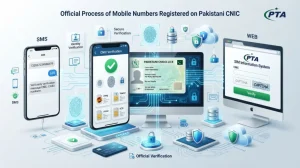
Method 1: Check SIM Cards Registered on CNIC Using the 668 PTA Service
The 668 PTA service allows users to confirm the number of active SIM cards using the Short Message Service (SMS). The process is relatively quick and only requires a CNIC number to complete the verification.
Read More: Check SIM Owner Details by CNIC Online in Pakistan
How to Check SIM Cards via SMS
Here is a step-by-step guide on how to check SIM cards registered on a CNIC using the 668 service:
- Launch the SMS application on your mobile phone
- Send the 13-digit CNIC number to 668. Make sure the CNIC number does not have hyphens or spaces. Only digits should be included in the text message
- After pressing the send button, wait for a short while before receiving a reply via SMS
- The response will indicate the total number of SIM cards active on a CNIC and their respective network connections. Jazz, Warid, Zong, Telenor, Ufone, Onic, and SCO are among the networks listed in the PTA response.
- The 668 PTA service provides the total number of active SIM cards without disclosing the actual mobile numbers. Therefore, users ought to check their CNIC records if any unauthorized connections are detected.
Method 2: Check SIM Cards on CNIC via Online Verification
Another alternative of discovering how many SIM cards are active on a CNIC is by using the online portal. To begin, users will need to access the PTA SIM Information System using a web browser.
Procedure for Verifying SIM Cards Registered on CNIC
The procedure for checking SIM cards on CNIC through online verification involves the following:
- Visit the PTA SIM Information System web page using a browser
- Provide the 13-digit CNIC number in the provided space and tick the box beside CNIC
- Click on the CAPTCHA tab to verify your request, then press the submit or verify button
- The online verification system will respond with the total number of SIM cards active on a CNIC under different networks
This method is convenient for users who prefer doing the online verification instead of the SMS technique.
Read More: Biometric SIM Verification in Pakistan: Complete Guide
SMS Service versus Online Verification
SMS and online verification are reliable options for determining the number of SIM cards on a CNIC. The tools are accessible, fast, and provide accurate results. Both utilize the same data to provide results, making it difficult to determine which option is the best. However, the SMS option requires internet data to operate, whereas the online verification system requires cellular data.
Key Differences
| Feature | PTA 668 SMS | PTA SIM Information System |
| Internet Required | No | Yes |
| Mobile Balance Required | Yes (SMS charges apply) | No |
| Shows Total Registered SIMs | Yes | Yes |
| Displays Actual Mobile Numbers | No | No |
| Official PTA Service | Yes | Yes |
| Easy to Use | Yes | Yes |
Summary
Both the SMS and online verification systems are officially authorized methods for checking the count of SIM cards active on a CNIC.
Can You See the Mobile Numbers Registered on CNIC Under PTA?
One of the frequently asked questions about the PTA verification is whether the mobile numbers registered on CNIC are available to the public. In this case, the response is no. In addition to providing the count of active connections, the PTA SMS and online verification services can provide the network operators of the connections. However, users are not provided with the actual mobile numbers associated with their CNIC for confidentiality reasons.
In case of detecting a suspicious connection, users ought to contact the mobile network operator and disclose their concerns. The operator will guide them on how to proceed with the necessary documentation required to delete the unauthorized connection. It is worth noting that any legitimate SIM card on a CNIC must be registered using a biometric verification.
Whoever wishes to delete an unauthorized or unknown connection should avoid visiting any unofficial website that claims to provide the owner’s details of the mobile number. The PTA services do not provide subscriber or user information; they only confirm the CNIC number against existing SIM card records held by the PTA. Any unauthorized third-party entity offering such services should not be trusted due to potential legal and ethical implications.
How to Detect Unknown SIM Cards Registered on Your CNIC
Detecting an unknown SIM card is quite challenging, especially to a user with little experience. However, an active mobile connection under one’s CNIC should be identified, and any suspicious activity should raise alarms. In case of detecting an unknown SIM registered on a CNIC, the individual should contact the mobile network operator and verify their request.
What should you do?
First, identify the mobile network operator of the suspicious mobile number
Second, contact the official customer care service of the operator and provide your CNIC number for verification
Third, request deletion of the unauthorized connection after verifying the request.
This way, the illegal SIM card under one’s CNIC will be deleted while maintaining the confidentiality of all concerned parties.
How to Interpret Mobile Number and Their Portability
Interpreting mobile numbers and their portability is critical, especially for those unfamiliar with the concept. Mobile Number Portability (MNP) allows users to switch between network operators while retaining the same phone number. Consequently, a mobile number under one network operator can be transferred to another.
As a result, it is not always easy to identify the network operator of a specific mobile number merely by looking at it. In case of detecting an unauthorized connection and planning to delete it, contact the customer service of the network operator providing the suspected mobile number.
Summary
In case of detecting an unauthorized or suspicious mobile number under one’s CNIC, the individual should contact the network operator and confirm the request. It is essential to identify the mobile network operator of an unauthorized connection because they offer the necessary solutions to deal with the problem.
How to Respond to an Unauthorized SIM Card
Responding to an unauthorized SIM card is crucial in minimizing the adverse impacts of illegal connections registered on one’s CNIC. Individuals ought to visit the nearest authorized mobile network operator franchise and provide their CNIC for verification.
Step-by-Step Guide on Deactivating an Unauthorized SIM Card
The following steps are necessary when deactivating an unauthorized SIM card:
- Go to the nearest authorized customer service center of a mobile network operator
- Provide your original CNIC for verification and inform the official of the unauthorized SIM card on your CNIC
- The customer service official will request your biometric verification to authorize the request
- Once completed, the customer service agent will delete the unauthorized SIM card on your CNIC
- The deactivation process of an unauthorized SIM card is relatively fast, and every user ought to take the task seriously to deal with illegal connections.
Read More: How to Block Unauthorized SIM Online in Pakistan
Tips to Enhance CNIC Security and Avoid SIM Fraud
The best method of avoiding SIM fraud is through adequate CNIC security measures. Users must ensure they only give the CNIC to trusted entities and avoid responding to any suspicious phone calls, SMS, and emails. In addition, regular monitoring of the number of SIM cards registered on a CNIC is critical in detecting illegal connections.
Other recommended tips to minimize SIM fraud and unauthorized connections include:
- Carrying out the CNIC verification process regularly
- Always completing the biometric verification process at official mobile network operator locations before activating a SIM card
- Avoiding sharing personal information with third parties
- Reporting lost or stolen CNICs immediately
Summary
Unauthorized connections usually cause adverse effects when detected late. Therefore, it is essential to carry out CNIC verification on a regular basis to identify any suspicious activity. In case of detecting illegal SIM cards, users ought to visit the nearest mobile network operator’s customer service center and provide their CNIC for verification.
Common Mistakes to Avoid When Verifying SIM Cards on a CNIC
Several mistakes can occur when verifying SIM cards on a CNIC, and users should remain wary of the errors to mitigate the impacts. The common mistakes include:
- Entering the wrong CNIC number when carrying out the verification task
- Using unofficial verification systems and services
- Neglecting to detect illegal SIM connections
- Sharing personal information with unauthorized entities
- Failing to delete unauthorized SIM connections when detected
Summary
Avoiding the common mistakes when verifying SIM cards on a CNIC is fundamental in minimizing the impacts of illegal connections. Always utilizing the official verification system is necessary since it provides reliable results while safeguarding personal information.
Why it is Advisable to Carry Out SIM Verification Periodically
Verifying SIM cards periodically is essential for several reasons. First and foremost, it helps users to monitor the number of active connections on a CNIC and detect any unauthorized activity. New SIM cards connections require biometric verification before activation; hence, there is no chance of activating illegal connections under one’s CNIC.
Other benefits of verifying SIM cards on CNIC periodically:
- Detect unauthorized connections on a CNIC
- Keep track of CNIC’s mobile connections
- Ensure CNIC is not being misused
- Monitor the number of active SIM cards on a CNIC
Summary
Even individuals with a single SIM card ought to carry out CNIC verification tasks on a regular basis to ensure the legitimacy of mobile connections.
Important Notice
It is essential to understand that the PTA services are only for verifying the count of active SIM cards registered on a CNIC. Additionally, the services do not provide the phone numbers of any subscriber, nor do they provide private information related to the owner of a specific mobile number. Consequently, it is advisable to avoid visiting any unofficial site claiming to provide such information since they might be illegal or unethical.
Conclusion
Verifying the mobile numbers registered on a CNIC is beneficial to everyone as it prevents CNIC misuse and ensures all active SIM connections are legitimate. There are various ways of determining the number of SIM cards registered on a CNIC, including utilizing the 668 PTA Service and online verification. In case of detecting unauthorized connections, contacting the network operator and providing the CNIC for verification is necessary.
With that said, it is essential to carry out CNIC verification on a regular basis to ensure the security of personal information. Following the provided guidelines and avoiding the common mistakes will help minimize the likelihood of encountering unauthorized SIM connections.
Frequently Asked Questions (FAQ)
How to Check Number of SIM Cards Registered on a CNIC?
There are two reliable options for determining the number of SIM cards registered on a CNIC. They include utilizing the PTA 668 SMS service and the online verification system. Both options are official, reliable, and fast.
Can I check the mobile numbers registered on a CNIC?
Unfortunately, it is not possible to check the mobile numbers registered on a CNIC. Both the online verification system and PTA SMS service only provide the count of mobile connections linked to a CNIC. The reason is that the PTA services do not provide confidential information about any subscriber.
Is the online verification system free?
Yes, the online system is free of charge. However, a mobile user may be charged a nominal fee depending on the mobile network operator’s tariff plan.
What should I do if I discover an unauthorized SIM card?
In case of discovering an unauthorized SIM card, it is essential to visit the nearest mobile network operator’s franchise and provide the CNIC for verification. The customer service agent will delete the unauthorized connection after completing the verification process.
Should I check the number of SIM cards on a CNIC regularly?
Although there is no specific guideline indicating the frequency of CNIC verification, it is advisable to carry out the task periodically. Monitoring changes to the CNIC records is critical in detecting unauthorized connections.